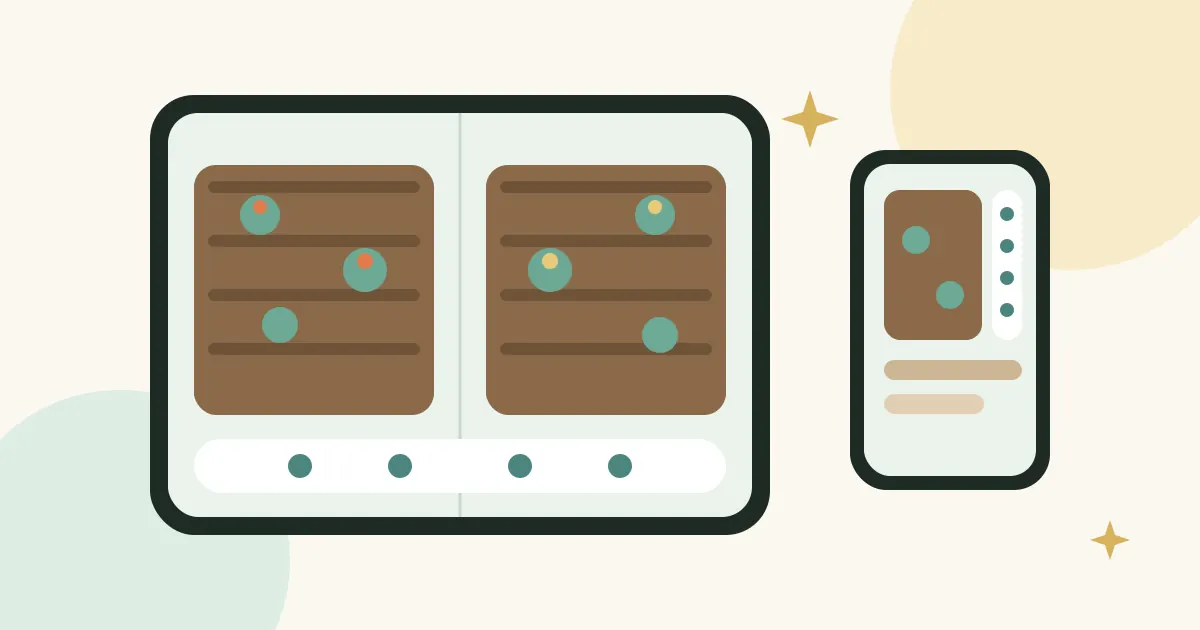
Tiny Garden Days got an update: version 1.0.1 is here. The heart of it: the game is now optimized for the new iPhone Duo. And that was more work than I first expected.
More space doesn’t just mean bigger
The obvious solution would have been: unfold it, everything gets bigger, done. But that rarely feels good. A bed stretched across the whole screen has giant carrots and lots of empty soil. More space, but not more game.
So I asked myself a different question: what would I do with twice as much space in a real garden? I wouldn’t blow up the same bed. I’d plant a second one.
Two beds side by side
That’s exactly what Tiny Garden Days does now. On the large display you see two beds at once. You can water the carrots on the left while the strawberries ripen on the right, without switching back and forth. The extra space becomes more garden, not just bigger pixels.
The outer display has its own logic
Folded, the display is narrower and you hold the device differently. That’s why the navigation is arranged differently there, so you can reach it comfortably with your thumb and the bed still has enough room. Same app, but two layouts, each suited to how you hold it.
What I learned
- More screen is a design question, not a scaling question.
- The best question was: what would I do with more space in the real world?
- Every screen size deserves its own layout, especially for navigation.
The update is now on the App Store. On all other iPhones and iPads the garden keeps running as usual. If you have an iPhone Duo, I’d love to hear how the two beds feel.